Light, distance and motion
LDR photoresistor with ESP32
An LDR gives you a light level, not lux. Its curve is not linear and differs between cells, so two sensors will disagree. That is fine for the job it is usually bought for: deciding that a room has gone dark and turning the display down.
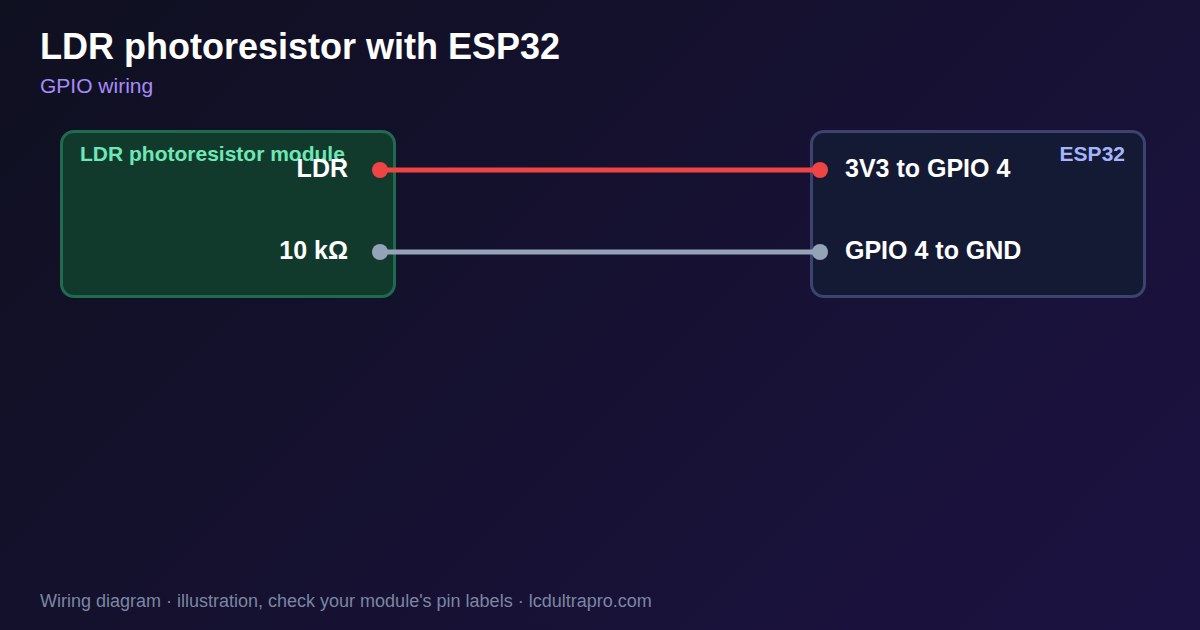
Wiring takes one resistor. Connect the LDR from 3V3 to an ADC pin, and 10 kΩ from that pin to ground, so the reading rises with light. A vendor figure for the GL5528 is about 1 MΩ in darkness and 8 to 20 kΩ at 10 lux, so 10 kΩ works for room light but loses detail at the extremes. For very dim rooms, try a bigger resistor. Use an ADC1 pin, because ADC2 stops working with WiFi on.
Do not use one for anything fast. CdS cells recover slowly from bright light, and an ESP32 sensor guide notes the slower response compared with phototransistors. Smooth the reading in code, and when you auto-dim a display, add a gap between the on and off thresholds. Otherwise, the screen's own light or a passing shadow makes it flicker. Mount the cell facing away from the display. CdS cells contain cadmium, which is restricted in some products, so a commercial design usually needs another part. If you want real lux values, the BH1750 is cheap and needs no calibration. LCD Ultra Pro can read an analog pin in a rule and compare it to a value, which is enough for a dark or light decision without code.
Specifications
| Example part | GL5528 |
|---|---|
| Dark resistance | About 1 MΩ |
| At 10 lux | About 8–20 kΩ |
| Divider | LDR to 3V3, 10 kΩ to GND |
| Output | Relative level, not lux |
Power and logic levels
3.3 V: safe to connect directly
| Supply | Divider from 3V3 |
|---|---|
| Signal level | Stays below 3.3 V |
| On an ESP32 | Feed the divider from 3V3, not 5 V. |
ESP32 pins, including those on a display board's connectors, work at 3.3 V and are not 5 V tolerant. Modules differ, so if in doubt, measure the signal before you connect it.
Wiring
| LDR photoresistor | Connect to | Note |
|---|---|---|
| LDR | 3V3 to GPIO 4 | |
| 10 kΩ | GPIO 4 to GND |
Arduino code
const int LDR_PIN = 4;                // an ADC1 pin
const int DARK = 800, LIGHT = 1200;   // gap stops flicker; set your own
bool dark = false;
float level = 0;

void setup() {
  Serial.begin(115200);
  level = analogRead(LDR_PIN);
}

void loop() {
  level = level * 0.9 + analogRead(LDR_PIN) * 0.1;   // smooth
  if (!dark && level < DARK) dark = true;
  if (dark && level > LIGHT) dark = false;
  Serial.printf("%.0f %s\n", level, dark ? "dark" : "light");
  delay(100);
}
No extra library needed. Compiled for ESP32-S3 with arduino-esp32 3.x. Not yet tested by us on a physical sensor. Change the pins to match your board.
On a display
In LCD Ultra Pro a rule can read an analog pin and compare it to a value, so a dark or light decision needs no code.
Design a display for LDR photoresistorBoards with a ready connector
Only boards whose connectors we have surveyed. Others may still work on free GPIOs.
| Elecrow CrowPanel ESP32 HMI 2.4" | GPIO_D port: GPIO 32 (ADC) |
| Elecrow CrowPanel ESP32 HMI 2.8" | GPIO_D port: GPIO 32 (ADC) |
| Elecrow CrowPanel ESP32 HMI 3.5" | GPIO_D port: GPIO 32 (ADC) |
| LilyGO T-Display (classic) 1.14" | Right pin header: GPIO 36 (ADC)36 / 37 / 38 / 39 are input-only |
| M5Stack AtomS3 0.85" | Grove port: GPIO 2 (ADC) |
| M5Stack M5StickC Plus2 1.14" | Grove port: GPIO 32 (ADC) |
| Sunton ESP32-2432S028R 2.8" | GPIO header (P3): GPIO 35 (ADC)GPIO 21 is the display backlight — not usable. GPIO 35 is input-only. No 3V3 pin on P3 (only GND). |
| Waveshare ESP32-S3-LCD-7B | GPIO connector (J8): GPIO 6 (ADC) |
Good to know
- It gives a relative level, not lux.
- Cells differ from each other.
- It is slow to recover from bright light.
- Use two thresholds to stop flicker.
What it is good for
- Display auto-dimming
- Day and night switching
- Simple light alarms
FAQ
Can an LDR measure lux?
Only roughly, with your own calibration. Use a BH1750 for real lux.
Which resistor should I use?
10 kΩ suits room light. Use more for dim rooms.
Why does my display flicker?
Use separate on and off thresholds, and shield the cell from the screen.
Sources
Related parts
Use this information at your own risk. It is for general guidance only: the example code compiles, but it has not been tested on every part, and modules differ between sellers. Check the manufacturer's data before you build. Product names belong to their owners, and LCD Ultra Pro is not affiliated with them. See our Terms.